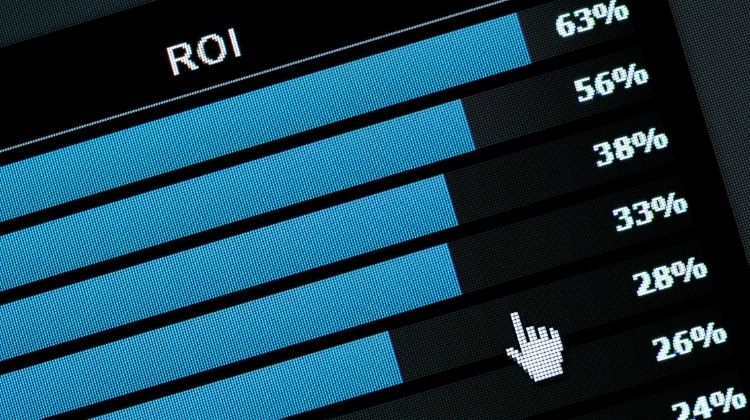
The Real Cost of Vanity Metrics
The true cost of this misconception is measured in wasted Rands.
Every click has a Google Ads cost, and if those clicks aren’t converting into valuable actions, you are quite literally paying for nothing.

Your budget is being burned on window-shoppers instead of serious buyers.
To stop the bleed and start profiting, you must shift your focus from vanity metrics to value metrics: Cost Per Conversion, Conversion Value, and ultimately, your Return on Ad Spend (ROAS).
These are the numbers that directly connect your ad spend to your revenue and tell you the real story of your campaign’s health.
The Golden Metric: Understanding ROI and ROAS for Your Business
For South African SMEs, every marketing rand must be accountable.
This makes ROI calculation your most important skill.
While your Google Ads cost might seem straightforward, true profitability is measured by what that investment returns.
ROI: The Ultimate Measure of Profit
Return on Investment (ROI) measures the overall profitability of your advertising spend. The formula is simple:
ROI = ((Revenue from Ads – Cost of Ads) / Cost of Ads) * 100
For example: If you spend R5,000 (cost of google ads) and generate R15,000 in sales, your ROI is ((15000-5000)/5000)*100 = 200%.
This means you’ve doubled your investment after recouping your initial spend.
ROAS: Measuring Advertising Efficiency
Return on Ad Spend (ROAS) focuses specifically on advertising efficiency:
ROAS = Revenue from Ads / Cost of Ads
Using the same numbers: 15000/5000 = 3 (or 3:1). This means for every R1 spent on ads, you generate R3 in revenue.
You might also like: The South African SME’s Search Engine Secret: How to Win 95% of Customers
Why ROI and ROAS Metrics Matter
While ROAS shows advertising effectiveness, ROI reveals true business profitability.
A high ROAS might look impressive, but if your product costs and overheads are too high, you could still be losing money.
For complete clarity, always calculate both metrics monthly.
Understanding these calculations transforms how you view your Google Ads cost.
Instead of seeing it as an expense, you begin to see it as an investment—one that can be measured, optimized, and scaled based on clear financial returns rather than guesswork.
The Foundation: How to Properly Set Up Conversion Tracking
You can’t calculate what you don’t measure.
This is why conversion tracking is the absolute bedrock of any profitable Google Ads campaign.
Without it, you’re flying blind—seeing the cost of Google Ads but having no way to connect it to revenue.
Proper setup transforms your dashboard from a report on clicks into a report on customers.
What Exactly is a “Conversion”?
A conversion is any valuable action a customer takes. For most South African SMEs, this means:
- Purchases on your e-commerce store
- Form submissions (quote requests, contact forms, bookings)
- Phone calls directly from your ads
- Direction requests to your physical location

Step-by-Step Setup Guide For Setting Up Conversion Tracking
- Access Google Ads Conversion Tracking:
– In your Google Ads account, click Tools & Settings > Conversions.
– Click the + New conversion action button.
- Choose Your Conversion Source:
– Select Website for actions like purchases or form submissions.
– For phone calls, you can choose Calls to track calls from the ad itself.
- Define Your Action:
– Category: Select the type (e.g., “Purchase”, “Lead”).
– Value: This is critical for ROI calculation. If you have a standard value for a lead (e.g., R500), enter it. For varying values like e-commerce, select “Use different values for each conversion.”
– Count: Choose “Every” for purchases, “One” for leads to avoid counting duplicate form submissions.
- Install the Tag:
– Option 1 (Recommended for most): Use Google Tag Manager. This is a free tool that simplifies adding and managing multiple tags without touching your website code.
– Option 2: Manually add the provided code snippet to your website’s header or the specific “Thank You” page that customers see after converting.
- Verify and Test:
– Use Google’s Tag Assistant to verify the tag is firing correctly.
– Complete a test conversion yourself (e.g., submit a form) and check your Google Ads account after 24-48 hours to see if it was recorded.
The Critical Link to ROI
This setup is what makes everything else possible.
It automatically tracks the Revenue from Ads part of your ROI calculation.
Once active, you can finally see not just your Google Ads cost, but the exact return it’s generating.
This data allows you to identify which keywords, ads, and campaigns are truly profitable and which are draining your budget.
It turns Google Ads from a speculative expense into a measurable, optimizable sales channel.
Calculating Your True ROI: A Practical Worksheet for SA Businesses
Now, let’s move from theory to practice.
This is where you transform your data into decisive action.
Follow this practical worksheet to calculate the real return on your advertising investment.
Step 1: Gather Your Raw Data
First, pull the essential numbers from your Google Ads account for a specific period (e.g., last month):
- Total Cost: Your total Google Ads cost for the month. (e.g., R 5,000)
- Conversions: The number of tracked valuable actions (e.g., 15 form submissions).
Step 2: Assign a Value to Each Conversion
This is the most crucial step for an accurate roi calculation. If you’re not selling products online with a set price, you need to estimate the value of a lead.
- For E-commerce: The value is the total revenue from ads. Google may track this automatically.
- For Lead Generation: Use this formula:
Example: If you know that 1 in 5 leads typically becomes a customer, and your average job is worth R2,000, then each lead is worth (R2,000 / 5) = R400.
- Total Conversion Value: Multiply the number of conversions by the value per conversion.
15 leads * R400 = R6,000*
Step 3: Run the Calculation
Plug your numbers into the ROI formula:
ROI = ((Total Conversion Value – Total Ad Cost) / Total Ad Cost) * 100
- ((R6,000 – R5,000) / R5,000) * 100
- (R1,000 / R5,000) * 100
- = 20% ROI
This means your advertising generated a 20% return on top of your initial investment, making it profitable.
Step 4: Analyze and Interpret
- Positive ROI: Your campaign is profitable. Consider scaling it incrementally.
- Breakeven (0% ROI): You’re covering costs but not generating profit. Optimization is needed.
- Negative ROI: The campaign is losing money. You must pause, rethink your strategy, and investigate issues like poor targeting or weak landing pages.
This simple worksheet removes the guesswork.
By consistently performing this ROI calculation, you take control of your Google Ads cost, ensuring every rand is working towards your business’s growth.